
Most roofing companies with fewer than ten people don’t have a full-time bookkeeper, so the owner or an office manager ends up retyping job totals, deposits, and supplier costs from one program into another. Integrating accounting software with CRM records removes that step. When the CRM system you use for sales and jobs passes its numbers straight to your books, the way the RoofIT QuickBooks integration does, the invoice your crew sends and the entry your accountant sees come from the same record. Before you commit to a platform, it helps to know which accounting connections matter and how to test them.
Why Roofers Should Pick a CRM That Works With QuickBooks or Sage
Douglas Stroh founded RoofIT after scaling his own company, Gold Medal Roofing, across multiple locations and states. In the video below, he gives straightforward advice to any roofer shopping for a CRM: whatever you choose, pick one that connects with QuickBooks or Sage. His reasoning is that roofing contractors will run their books through one of those two platforms at some point, even if they start out on spreadsheets, so the CRM should be ready for it.
This comes up often when owners compare a roofing-specific CRM against a general CRM built for any industry. Generic CRMs are usually organized around contacts and deals, and roofing numbers like material costs, supplements, and crew labor may not map cleanly to your accounting categories. If the CRM can’t pass those figures to QuickBooks or Sage, someone has to do a second round of data entry every time a job closes.
What Integrating Accounting Software With CRM Tools Looks Like Day to Day
RoofIT connects to QuickBooks through an open API. In the video, Doug explains that once job data goes into RoofIT, QuickBooks uses a webhook to pull that information from the CRM and handle the accounting entry automatically. Nobody exports a file, rekeys an invoice amount, or matches a deposit to a customer from memory.
For a small crew, a few everyday tasks change. A signed contract becomes a job with a price attached. Deposits and the final payment collected through Stripe payments in RoofIT land on that same job. The billing and invoicing tools inside the CRM stay in step with what QuickBooks shows, so an owner can check where a job stands financially without opening two different systems.
Redundancy Keeps the Numbers Honest
One point Doug makes surprises some owners. Even with an in-house accounting person, an automated connection is worth having because it adds redundancy. When the CRM and the accounting software hold the same figures and one feeds the other directly, you have a way to confirm the numbers are correct. If a bookkeeper’s entry doesn’t match what came over from the CRM, the difference is easy to spot.
Manual transfers are where mistakes get in. A transposed digit on a $14,800 replacement, a supplement that never gets added to the invoice, or a material return from ABC Supply or SRS Distribution that doesn’t show up in job costing can throw off margins for months before anyone catches it.
What Manual Accounting Costs a Small Roofing Company
Doug puts a number on the alternative. If you don’t want to hire someone internally to move data from the CRM to QuickBooks, you may end up paying an outside accountant around $125 an hour to do it. For a roofing company with one to ten employees, that’s money that could go toward wages or marketing instead. Owners who handle it themselves pay in a different way, usually with evenings spent reconciling invoices.
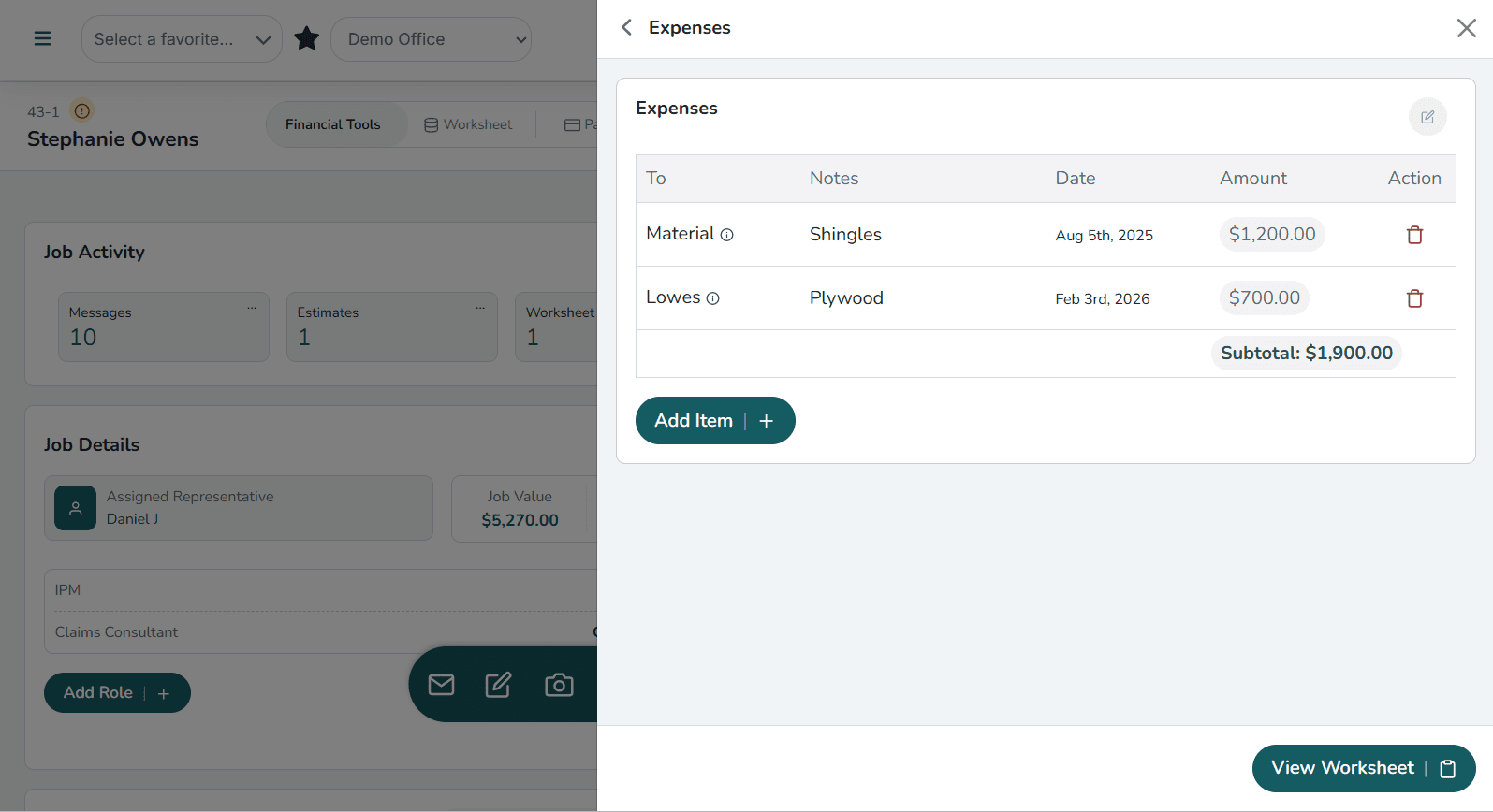
Pairing the accounting connection with real-time expense tracking helps here. Material and labor costs get recorded as they happen instead of being rebuilt from receipts and sticky notes at the end of the month. Commissions are easier to settle too, because sales and commission calculations pull from the same job totals the accounting side sees.
Questions to Ask Before You Pick a Roofing CRM
A vendor’s feature page won’t always tell you how an accounting connection works. These questions get to the details faster:
- Does it connect to QuickBooks or Sage, and does data move automatically or through an export someone runs by hand?
- Which records sync? Invoices, payments, customers, and expenses should all be covered.
- Is there an open API or endpoint in case you change accounting platforms later?
- Can you test it with your own jobs during a free trial before you pay anything?
It’s also worth asking how the connection handles customer data. If a homeowner already exists in QuickBooks from a repair you did three years ago, a good CRM integration should match that record instead of creating a duplicate. Duplicate customers make reports harder to trust, and office staff end up spending hours merging them. Ask the vendor to show you what happens when a returning customer signs a new job.
Accounting is one part of choosing the best roofing CRM software. Lead management, material ordering, and aerial measurements belong on the same checklist, and the step-by-step roofing CRM buyer’s guide goes through each of them.
How RoofIT Handles It for Small Crews
RoofIT Solutions is built for small roofing crews, not corporate offices. Douglas Stroh designed it as a CRM by roofers, for roofers, after seeing how few CRMs fit small roofing businesses while he was growing Gold Medal Roofing. Along with QuickBooks for accounting and Stripe for payments, RoofIT connects with EagleView for aerial measurements and with ABC Supply, SRS Distribution, QXO, and Fortis. The current list of RoofIT integrations shows exactly what’s connected today.
If you don’t know whether your current CRM has an accounting connection, or you think you’ll need one soon, you can try RoofIT free for two months with no credit card required. To see the QuickBooks setup first, request a demo and we’ll walk through integrating accounting software with CRM data using your own jobs.
FAQs About Integrating Accounting Software With CRM Tools
Does RoofIT connect to QuickBooks?+
Yes. RoofIT connects to QuickBooks through an open API. After job data goes into RoofIT, QuickBooks uses a webhook to pull that information from the CRM and create the accounting entry, so nobody has to export a file or retype an invoice amount.
Is an accounting integration worth it if I already have a bookkeeper?+
Douglas Stroh says it is, because the connection adds redundancy. When the CRM and QuickBooks hold the same figures and one feeds the other directly, a bookkeeper’s entry that doesn’t match what came over from the CRM is easy to catch. The integration doesn’t replace your bookkeeper. It gives them a second set of numbers to check against.
How much does moving data by hand cost a small roofing company?+
If you don’t have someone in-house to do it, Doug estimates you could pay an outside accountant around $125 an hour to transfer job data from your CRM into QuickBooks. Owners who do it themselves usually pay with their evenings instead, and manual entry is where transposed digits and missed supplements tend to slip in.
What records should sync between a roofing CRM and accounting software?+
At a minimum, invoices, payments, customers, and expenses. Ask the vendor how returning customers are handled too. A homeowner who’s already in QuickBooks from an older repair should be matched to their existing record rather than added as a duplicate.
Does an accounting connection help with job costing?+
It helps most when it’s paired with real-time expense tracking. Material and labor costs get recorded as the job happens, and payments collected through Stripe land on the same job record, so you can see margins while the job is still open instead of rebuilding them from receipts at month’s end.
Can I test integrating accounting software with CRM data before I pay?+
RoofIT offers two months free with no credit card required, so you can run your own jobs through the QuickBooks connection before committing. If you’d rather see the setup first, you can request a demo and walk through it with the RoofIT team.
